
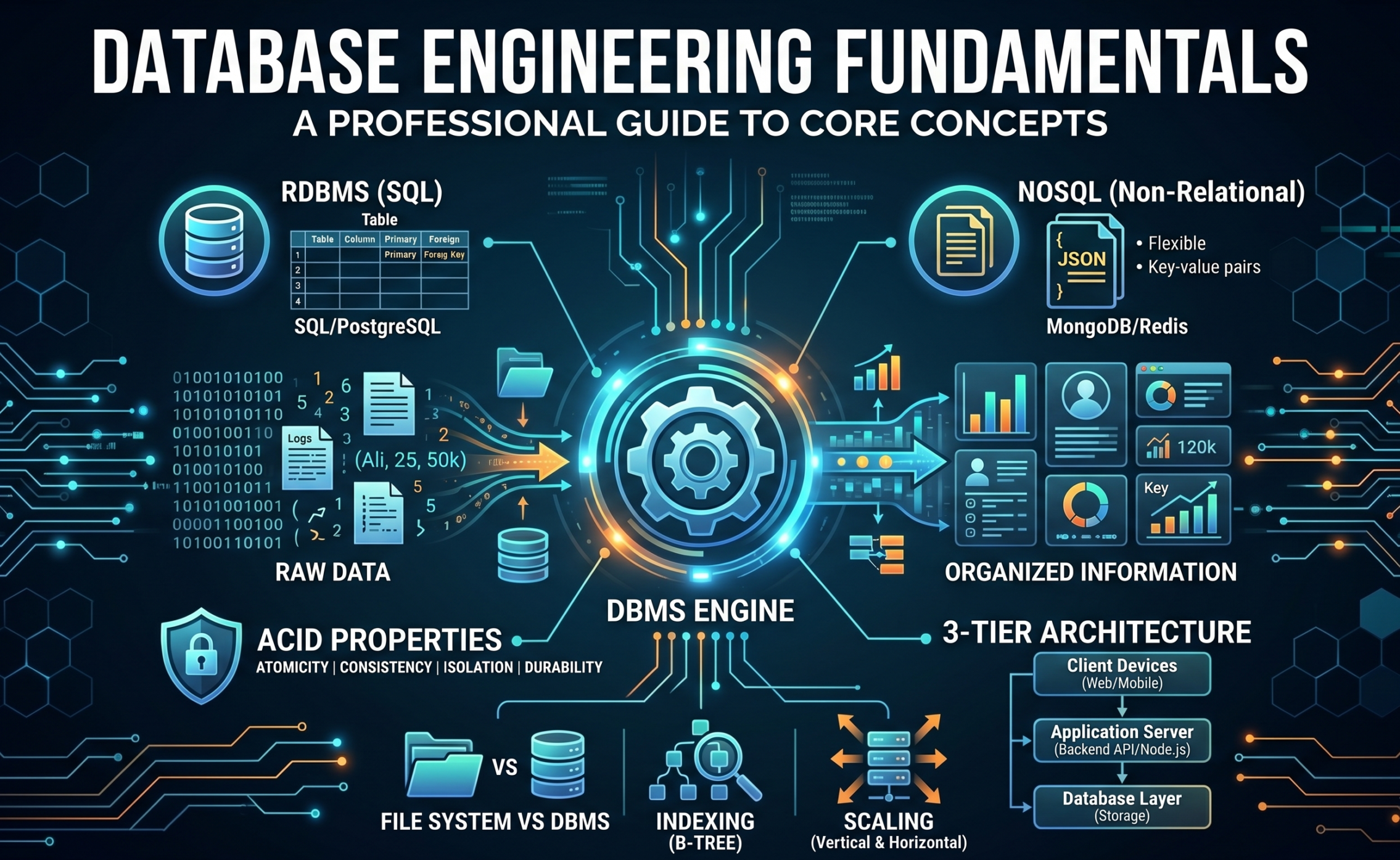
1. Data vs. Information
People often use these terms interchangeably, but in database engineering, there is a massive difference.
-
Data (Raw Material): This refers to unorganized, raw facts and figures. It holds no specific meaning on its own.
-
Example: A list containing
[Ali, 25, 50000, NYC]. This is just data. Without context, we don’t know what 25 or 50000 represents.
-
-
Information (Finished Product): When we process data and give it context, it becomes information.
-
Example: Organizing the previous data gives us: “The employee’s name is Ali, he is 25 years old, earns a salary of $50,000, and lives in NYC.”
-
Developer Perspective: Databases are designed to store raw Data efficiently. When a user visits your application, your backend runs a query, fetches the raw data, processes it, and displays it on the frontend as meaningful Information (like a dashboard chart or a user profile).
At the enterprise level, we don’t just “save data.” We build Data Pipelines.
-
The Raw Data (Telemetry & Logs): Think of a modern app like Netflix. Every click, every pause, every scroll is captured as raw JSON data. At this stage, it is high-velocity, unstructured, and completely useless to a business executive. We often dump this into a massive, cheap storage area called a Data Lake (like Amazon S3).
-
The Transformation (ETL): To turn this into Information, we use an ETL pipeline (Extract, Transform, Load). We extract the raw data, transform it (clean it, join it, format it), and load it into a highly structured Data Warehouse (like Snowflake or Google BigQuery).
-
The Information (Business Intelligence): Now, complex analytical queries run on this warehouse to generate dashboards.
-
Pro Takeaway: Production databases are split into OLTP (Online Transaction Processing – fast, real-time inserts like user signups) and OLAP (Online Analytical Processing – heavy, read-only queries for generating information/reports). You never run heavy information-gathering queries on your live OLTP database, or you’ll crash your application.
If you are searching for more information about the Data Directories
2. File System vs. DBMS (Database Management System)
Decades ago, data was stored in physical ledgers, text files, or spreadsheets. This old method is the File System. We invented the DBMS (like PostgreSQL or Oracle) because file systems had critical limitations:
-
Data Redundancy (Duplication): * File System: A university’s library and accounts departments maintain separate spreadsheets for students. If a student changes their phone number, only one spreadsheet might get updated, leading to inconsistent data.
-
DBMS: Data is centralized. Update the student’s profile once, and it reflects system-wide.
-
-
Security & Permissions:
-
File System: A file is usually either fully accessible or fully locked.
-
DBMS: Granular, column-level security. You can configure roles so an admin sees everything, but a junior clerk only sees names and cannot see salaries.
-
-
Concurrent Access:
-
File System: If you open a spreadsheet on a shared network, it gets locked. Nobody else can edit it simultaneously.
-
DBMS: Thousands of users can like a post or book a flight ticket at the exact same millisecond without crashing the system or corrupting the data.
-
Why is a DBMS actually better? It’s not just about centralization; it’s about the underlying algorithms.
-
ACID Properties: This is the holy grail of relational databases. A DBMS guarantees ACID (Atomicity, Consistency, Isolation, Durability). If a user transfers $100, the system guarantees that either the entire transaction succeeds, or it completely rolls back (Atomicity), even if someone trips over the server’s power cord halfway through (Durability).
-
Write-Ahead Logging (WAL): How does a DBMS survive a power outage without losing data? Before it actually writes your data to the permanent table on the hard drive, it quickly appends a note to a sequential log file (the WAL). If the system crashes, upon reboot, it reads the WAL and reapplies any lost operations.
-
Data Retrieval (B-Trees): A file system reads top-to-bottom $O(n)$. A DBMS uses B-Tree Data Structures for indexes. It cuts the search time exponentially $O(\log n)$. Finding one user among 100 million takes milliseconds because the DBMS engine mathematically traverses a tree to find the exact disk block.
3. Types of Databases: RDBMS vs NoSQL
Choosing the right database type is one of the most important architectural decisions you will make.
A. Relational Database (RDBMS):
-
Concept: Data is strictly organized into Tables (Rows and Columns). It enforces a rigid “Schema” (blueprint), meaning you cannot insert data that breaks the predefined rules.
-
Language: SQL (Structured Query Language).
-
Examples: PostgreSQL, MySQL, SQL Server.
-
Real-world Example: Banking Systems or ERPs. Financial transactions require absolute precision, strict rules, and guaranteed consistency. RDBMS is the perfect tool for this.
B. Non-Relational Database (NoSQL):
-
Concept: Schema-less and highly flexible. Instead of rigid tables, data is typically stored as JSON-like documents or Key-Value pairs. If a user doesn’t provide a phone number, that field simply won’t exist in their specific record.
-
Examples: MongoDB, Redis, Cassandra.
-
Real-world Example: Social Media Feeds or Product Reviews. One user might leave a 2-line text review, another might leave a 10-line review with 3 images attached. NoSQL handles this unpredictable, unstructured data beautifully and scales very fast.
In system design interviews and senior roles, the choice between SQL and NoSQL comes down to the CAP Theorem and Scaling strategies.
-
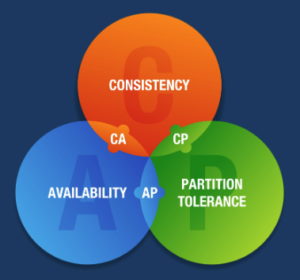
CAP Theorem: It states that a distributed system can only provide two of three guarantees: Consistency (everyone sees the same data at the same time), Availability (the system never goes down), and Partition Tolerance (the system survives network failures).
-
RDBMS (Vertical Scaling & Consistency): SQL databases prioritize Consistency. If your app handles financial transactions, RDBMS is mandatory. However, they are notoriously difficult to scale out. To handle more traffic, you usually have to “Scale Vertically”—which means buying a bigger, more expensive server with more RAM and CPU.
-
NoSQL (Horizontal Scaling & Availability): NoSQL databases (like Cassandra or MongoDB) prioritize Availability and Partition Tolerance. They are designed for “Horizontal Scaling”—meaning you can just add 10 cheap servers to a cluster to handle massive traffic (like Twitter or Instagram). The trade-off? Eventual Consistency. If I update my profile picture, I might see the new one instantly, but my friend in another country might see the old one for a few seconds until the nodes sync up.
Our portfolio Makeuser
4. Database Architecture (1-Tier, 2-Tier, 3-Tier)
Architecture defines how your database physically connects to your software application.
1-Tier Architecture (Single Machine):
-
Concept: The database and the application are installed on the exact same local machine.
-
Example: A simple desktop application that saves data to a local
.sqlitefile on your hard drive. This is useful for local development, but not for internet applications.
2-Tier Architecture (Client-Server):
-
Concept: The software application (Client) sits on one machine and connects directly over a network to a separate Database Server to run queries.
-
Example: A Point of Sale (POS) system in a supermarket. The register at the front connects directly to the database server in the back office.
-
Limitation: It is a massive security risk to embed direct database credentials into a client application (like a mobile app) that is distributed to the public.
3-Tier Architecture (Web Standard):
-
Concept: This is the standard for 99% of modern web and mobile applications. It introduces a middle-man to handle logic and security.
-
Client Tier (Frontend): The Mobile App or Web Browser (React, iOS, Android).
-
Application Tier (Backend API): The server-side logic (Node.js, Python Django, Java Spring).
-
Database Tier: The actual database engine.
-
-
Example: When you order an Uber, the mobile app does not talk to the database directly. The app sends an HTTP request to the Backend API. The backend verifies your identity, checks driver availability, and then the backend writes the order into the database. This keeps the database entirely hidden from the outside world.
A simple 3-tier architecture (Frontend $\rightarrow$ Backend $\rightarrow$ Database) is fine for a startup. But what happens when you have 50,000 users hitting your database simultaneously? A professional architect adds layers:
-
Connection Pooling: Opening a connection to a database is computationally expensive. If 1,000 users connect, the DB will crash. We use a Connection Pooler (like PgBouncer for PostgreSQL). It maintains a small pool of active connections (say, 50) and efficiently multiplexes the 1,000 user requests through them.
-
Master-Replica (Read Replicas): 80% of application traffic is usually reading data, while 20% is writing. We set up one Master database (handles all
INSERT/UPDATEcommands) and multiple Read Replicas (copies of the master). AllSELECTqueries are routed to the replicas to take the load off the Master. -
Caching Layer: The fastest database query is the one you never make. We place an in-memory cache like Redis or Memcached between the backend and the database. If a user requests the “Top 10 Movies,” the backend fetches it from the database once, saves it in Redis, and serves the next 10,000 users directly from RAM in microseconds.
If you are interested in these questions then comment
-
What is the difference between data and information in databases?
-
How does 3-tier database architecture work?
-
Relational vs non-relational database use cases.
-
How to scale a database using read replicas.
-
Understanding CAP theorem in system design.
-
Why use B-Tree indexing in SQL databases?